
YEP Casino Login – How to Register and Sign In
If you want to jump into games fast, registration and login at YEP Casino are super simple, whether you’re on desktop, mobile browser, or using social login. You’ll only need a minute, a valid email or phone, and EUR as your main currency to get started.
Getting Started — What You Need to Create an Account
Before you sign up to YEPCasino, you’ll want a couple of basics ready so you can breeze through the form. You must be at least 18 years old and legally allowed to play online casino games in your country.
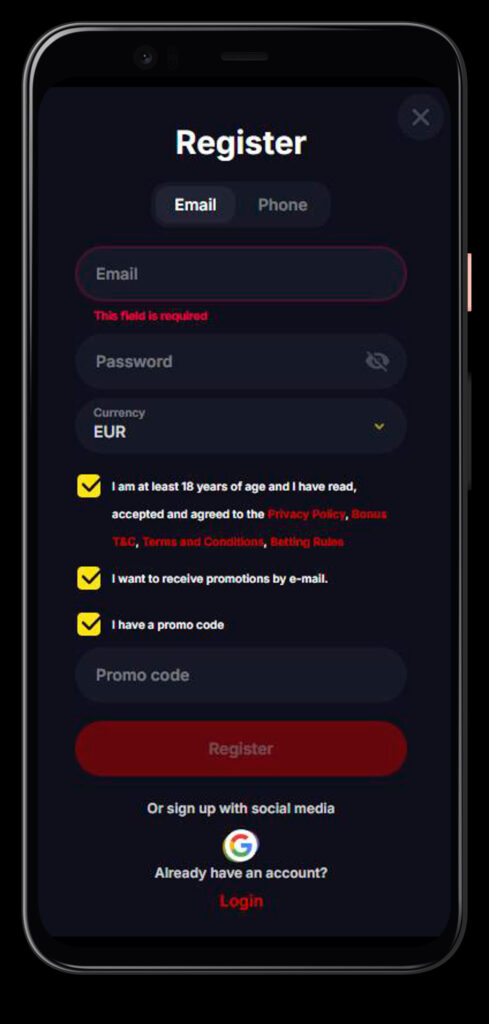
To create a YEP Casino account, you’ll need a working email address, a mobile phone number, and a secure password you won’t reuse elsewhere. You also choose EUR as your currency, accept our Privacy Policy, Bonus T&C, General Terms and Betting Rules, and confirm that the details you enter are accurate and true.
How to Register at YEP Casino — Step-by-Step
Now, let’s walk through the actual YEPCasino sign-up flow you’ll see on the site. The design is simple: one compact form with the option to switch between email and phone.
Step 1 — Enter Your Email or Phone and Password
On the registration page, you can choose whether you want to sign up with Email or Phone in the tab at the top of the form.
Fill in:
- Email (or phone number, if you switch to that tab).
- Password of at least 6 characters with letters and digits, as required by our system rules.
- Currency field, where you pick EUR.
Then you tick the box confirming you’re at least 18 and that you accept the Privacy Policy, Bonus Terms, General Terms, and Betting Rules, and optionally the box to receive promo emails.
Step 2 — Email Confirmation
After submitting the form, we may ask you to confirm your email to fully secure the account and unlock all features. You’ll get a message to the address you entered with a confirmation link.
You just open your inbox, click the YEP Casino verification link, and your email gets linked to your YEP Casino profile. If the email doesn’t arrive, you can request another one, keeping in mind that sending is limited to once per minute to prevent spam.
Step 3 — Complete Your Profile and Activate Your Bonus
Once you’re inside your account, you’ll see your profile section where you can add personal details like your name, date of birth, and phone number if they weren’t filled during registration. This needs to be accurate, because we use it later for KYC checks and withdrawals.
From your profile, you can also activate the welcome bonus: you pick the casino or sports offer in the Bonuses section and click to set it active before you make your first deposit. Only after activation and a qualifying deposit in EUR will the bonus attach to your account.
Sign Up via Social Media
If you don’t want to type everything out, you can sign up with social media instead of manually entering data. On the registration modal, you’ll see an “Or sign up with social media” block under the main form.
Right now, the main social option highlighted in the YEP Casino login/register UI is Google, with a dedicated button and icon. This lets you connect your YEP Casino account to your existing Google profile.
Google Sign-Up Option
To use Google sign-up, you just click the Google icon in the social section. A separate window opens where you log in to your Google account (if you’re not already signed in).
Once you confirm access, we create or link your YEP casino account with that Google identity, which speeds up future YEP Casino logins. You still have to be 18+, accept our Terms, and may need to complete missing profile fields like phone or address later for KYC and withdrawals.
How to Log In to YEP Casino
After your YEP Casino account is created, logging in is straightforward. You can use the login button on the top bar from any page, both on desktop and mobile.
The login modal lets you pick between Email and Phone tabs, and also offers social login with Google if you connected it earlier.
Desktop Login — Email and Password
On the desktop, click “Login” in the YEPCasino header, and the login window will pop up. The default tab uses email.
You enter:
- Email address used during registration.
- Password you created (following the same 6+ characters, letters, and digits rule).
If you forget your password, there’s a “Forgot password?” link in the login window so you can reset it by email. After entering valid credentials, just hit the Login button, and you’ll be redirected back to the games lobby or your last visited page.
Login via the YEP Casino Mobile App
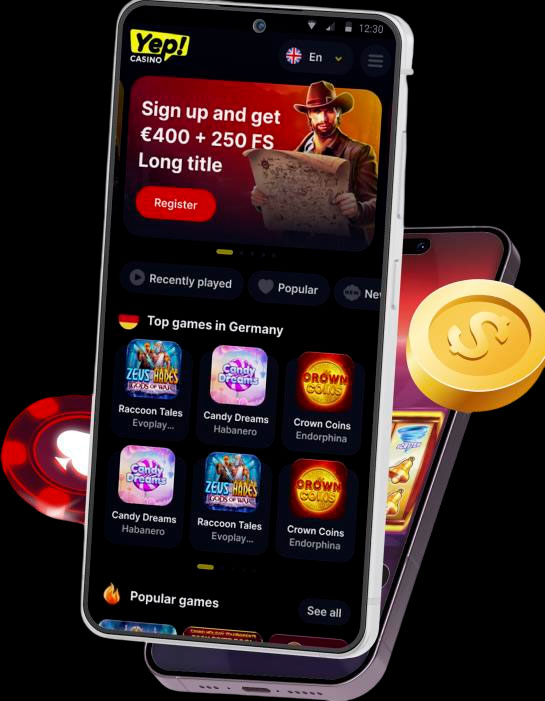
Now, if you prefer playing from your phone all the time, you can use the YEP Casino mobile-optimized site or our apps promoted on the main pages. In the “Download Apps for mobile devices” section, you’ll see QR codes and store buttons for iOS and Android.
Once installed, you log in to YEPCasino using the same email and password or linked Google account as on desktop. The mobile app keeps the same features: bonuses, profile, KYC upload, payments, and game access, just in a layout tailored to smaller screens.
After Registration — Profile Setup and KYC Verification
After the first YEPCasino login, the smartest move is to tidy up your profile details before you start depositing big. This avoids delays when it’s time to cash out.
You can access your profile from the account menu and fill or double-check fields like full name, date of birth, address, contact number, and preferred language. All this must be real and up to date, or we may suspend the account later.
Activating the Welcome Bonus from Your Profile
To activate the welcome bonus, you go to the Bonuses section inside your profile. There you’ll see available offers, including the main casino package and sports welcome.
You pick the one you want, click to activate it, then make a qualifying deposit in EUR within the bonus time limits (usually 72 hours for the welcome). If you deposit without activating first, the transaction won’t count towards that bonus, so this step is important.
KYC Document Requirements and Verification Process
Sooner or later, especially before larger withdrawals, we’ll need to verify your identity according to our KYC and AML rules. This is standard for all legit casinos.
You may be asked for:
- Proof of identity, like a passport or a national ID card.
- Proof of address, like a utility bill or bank statement.
- Sometimes, the source of funds documents for large deposits, such as bank statements or income proof.
All documents must be original, clear, and not edited by any AI or graphics tools; altered or fake documents are strictly forbidden and can lead to account closure and confiscation of funds. During the YEP Casino verification process, withdrawals can be temporarily restricted until checks are completed.
Account Security and Password Recovery
We take your security seriously, but you also play a big role in keeping your account safe. After YEP Casino registration, you’re fully responsible for your password and any activity on your account.
- Never share your login details with anyone or let someone else play under your profile.
- If you suspect your account has been compromised, contact support via live chat or email immediately so we can lock it and investigate.
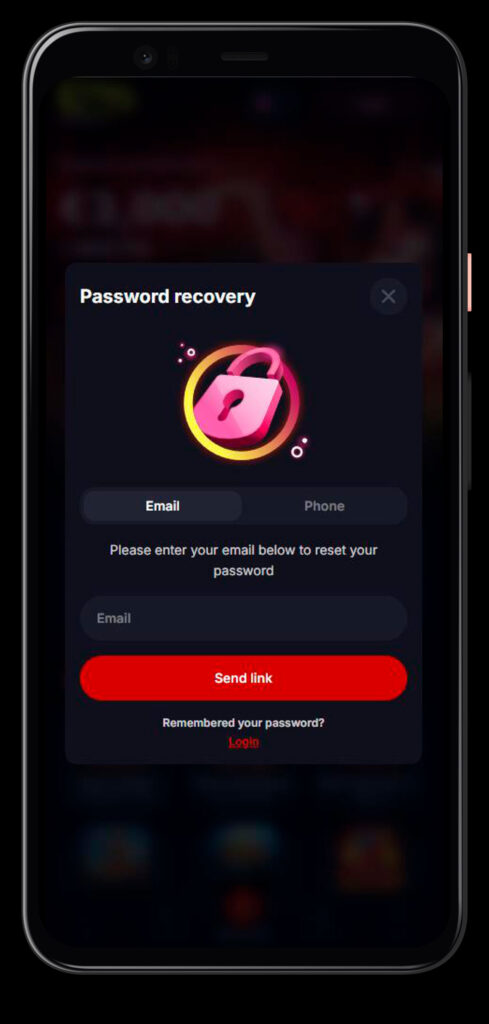
If you forget your password, just use the “Forgot password?” link under the login window. You’ll receive instructions by email to create a new password and regain access. Our system can block your account temporarily if you enter the wrong password 5 times, so it is safer to reset early instead of guessing.

Frequently Asked Questions
You need to be at least 18 years old, have a valid email address or phone number, set a secure password, select EUR as your currency, and accept the Terms, Privacy Policy, Bonus T&C, and Betting Rules during registration.
No, each player is allowed only one main account. Any duplicate accounts may be closed, with deposits, bonuses, and winnings from those accounts voided and potentially reclaimed.
After registration, go to your profile, open the Bonuses section, activate the welcome bonus you want, then make a qualifying first deposit in EUR within the time limit so the bonus attaches correctly.
KYC helps us confirm your identity, age, and location, protect your funds, and comply with anti–money laundering regulations. Without successful verification, we may limit withdrawals or suspend your account.
Typically, you’ll be asked for a photo or scan of your ID or passport, proof of address, and sometimes proof of source of funds for larger transaction volumes. All documents must be original, unedited, and clearly readable.
Click “Forgot password?” under the YEP Casino login form, enter your registered email, and follow the instructions we send to set a new password. If you keep entering the wrong password, the account may be temporarily blocked for security.